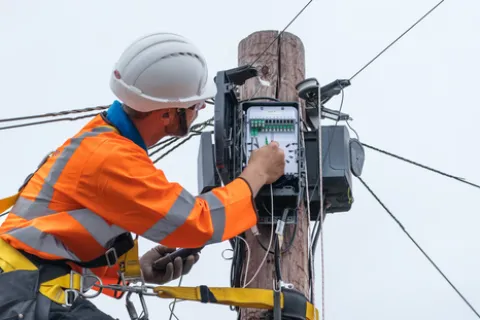
Connecting the Full Fibre Cable to the Telegraph Pole
First, the engineer will connect a new full fibre cable to the nearest telegraph pole. This ensures your home can be connected to our full fibre network.
To keep our site secure, we need to confirm you're human.
If you live in a house, here’s what you need to know about getting connected.
Here you’ll find everything you need to know about how we install full fibre broadband in your home. We’ll give you some top tips on how to prepare and guide you through what will happen on the day, so you know what to expect.
How we connect your home depends on how our network is set up in your street. Your full fibre connection will be delivered in one of two ways. It may be overhead, with a fibre cable running from a nearby telegraph pole to the outside of your home. Or it may be underground, using existing ducts or by digging a small channel to bring the fibre cable up to your property.
To make your installation day as smooth as possible, here's a quick checklist to help you get ready. These simple steps cover everything you need to do before your engineer arrives.
If you have received an appointment reminder by text or email and can no longer make the date, no problem. To reschedule your installation appointment, simply follow the instructions in your message or contact your broadband provider directly. Otherwise, contact your broadband provider directly and they will help you to reschedule.
First, the engineer will connect a new full fibre cable to the nearest telegraph pole. This ensures your home can be connected to our full fibre network.
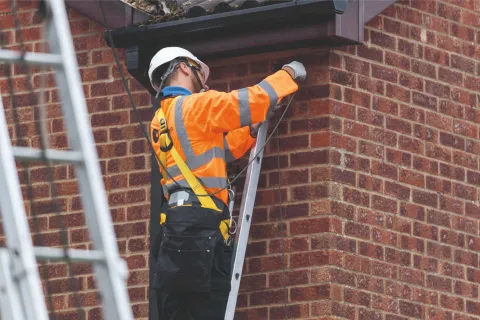
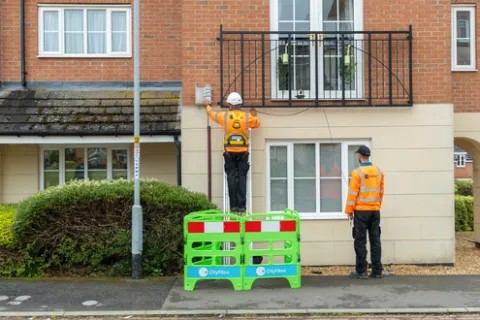
Next, our engineer will set up a secure ladder on the outside of your property and bring the full fibre cable down from the overhead pole. They’ll then attach the cable neatly down your outer wall to the entry point.
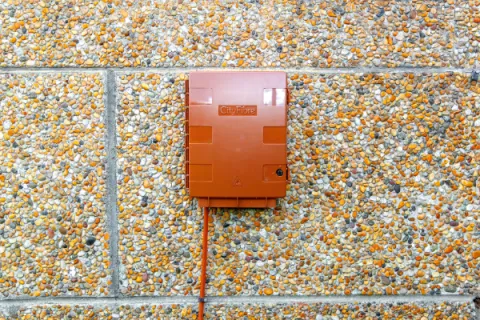
Finally, the engineer will fit a small connection box on the outside of your home and drill a small hole to feed the fibre cable through. Inside, the cable connects to an internal connection box that plugs into a power socket. Once everything’s set up, our engineers run a few quick checks to make sure your new broadband is working perfectly.
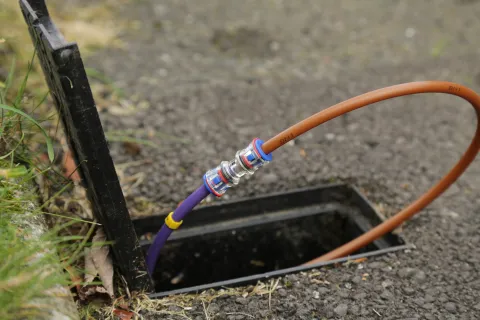
If there's already a duct running from the street to your home, our engineer will feed the fibre cable through the ducts up to your outer wall.
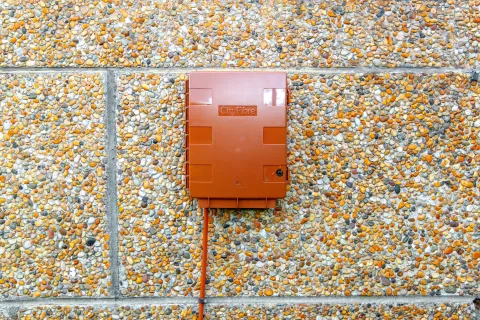
Next, the engineer will fit a small connection box on the outside of your home and drill a small hole to feed the fibre cable through to an internal connection box that plugs into a power socket.
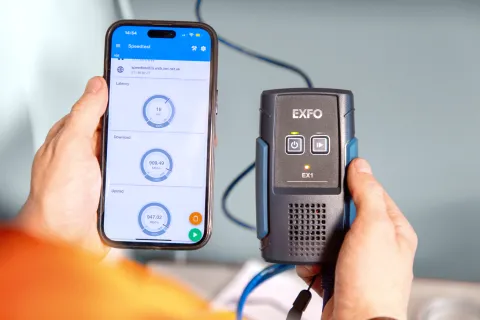
Once everything is set up, our engineers run a few quick checks to make sure your new broadband is working perfectly.
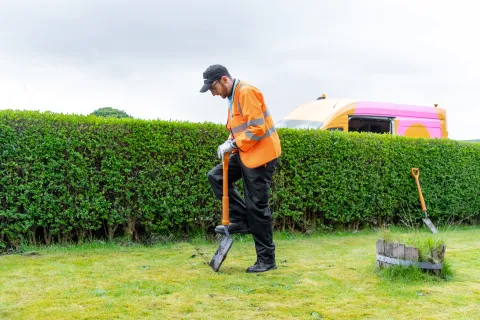
If there’s no existing infrastructure in place, the engineer will need to dig a narrow channel to connect the full fibre cable from the network directly to your home. This could be across grass, flowerbeds, block paving, gravel or tarmac, depending on the route available.

Once the channel is ready, the engineer will carefully lay the full fibre cable inside. After everything is in place, we'll tidy up after ourselves and always do our best to leave everything looking as close as possible to how we found it.
Next, the engineer will fit a connection box on the outside of your home and drill a small hole to feed the fibre cable through to an internal connection box that plugs into a power socket.gs into a power socket. When everything’s ready to go, our engineers run a few quick checks to make sure your new broadband is working perfectly.
Every home is different, so we've created simple guides to show you what to expect from your full fibre installation, whether you live in a flat or are switching providers on our network.

Find out more about our full fibre installations.
Find out more about full fibre installations if you live in a flat.
Find out about your installation if you are switching providers on our network.
Got a question about your full fibre installation? Here you’ll find answers to some of the most common questions about your full fibre installation.
Whilst some flat or apartment installations may be quicker depending on the building setup, our engineers will usually complete your full fibre install in 2-3 hours.
Engineers can arrive at any point within the scheduled installation window. You will receive SMS messages letting you know when the engineer is on route and when they’ve arrived at your property.
It is essential that someone over the age of 18 is at home during the installation.
We’ll keep you updated every step of the way with three simple SMS messages:
Your current service will keep working until you choose to cancel it. If you’re switching providers on the CityFibre network, the change usually happens at midnight with no interruption to your connection.
If you’ve been given a new router, there may be a short pause in service while you set it up, and some smart devices might need a quick reconnect, but this is typically resolved in just a few minutes.
For any updates contact your broadband provider. CityFibre will be working directly with your broadband provider to give updates on your installation date.
The way we connect your home depends on how the network is set up in your street. Some properties are connected using an overhead fibre cable from a nearby telegraph pole, while others are connected underground using existing ducts or a newly installed underground route.
Your engineer will use the most suitable connection method for your property. If an underground connection is needed and there's no existing duct in place, we may need to dig a small channel to bring the fibre cable to your home. Whatever the installation method, we'll explain what work is required and do our best to keep any disruption to a minimum.
For any questions related to your broadband service, including your contract, please contact your broadband provider directly, as they manage your service and customer support.
For more information and frequently asked questions, visit our Help Centre.